

Automate Blog
Unlock the full power of the HighLevel platform with the
Australian-based HighLevel experts - Automate Digital.
Resend to unopened: Boost engagement of Email Campaigns
Great news - There has been a big update that now lets you easily resend emails to people who missed them the first time, helping you increase engagement.
Following best practices in resending can significantly increase engagement while keeping the risk of complaints or unsubscribes at minimum.
Now you can easily resend campaigns to non-openers with just a few clicks. You can also modify the subject line (if required) to refresh your message and reduce the chance of user complaints.
Benefits:🚀
Boosted Engagement:
By targeting non-openers, you're likely to see improved engagement metrics.
Efficient Use of Content
: Maximize the reach and impact of your meticulously created content without additional effort.
How to use?:😎
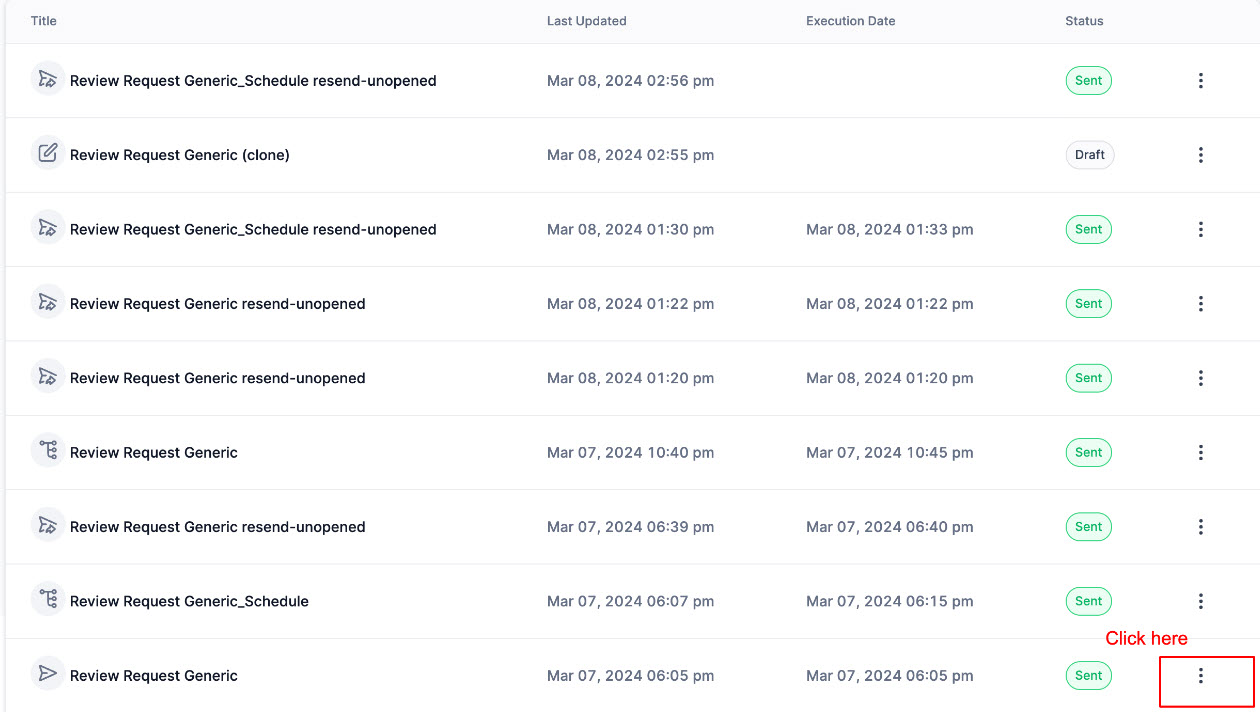
Navigate to Email Marketing -> Campaigns
Select your sent campaigns and click on the three dots:
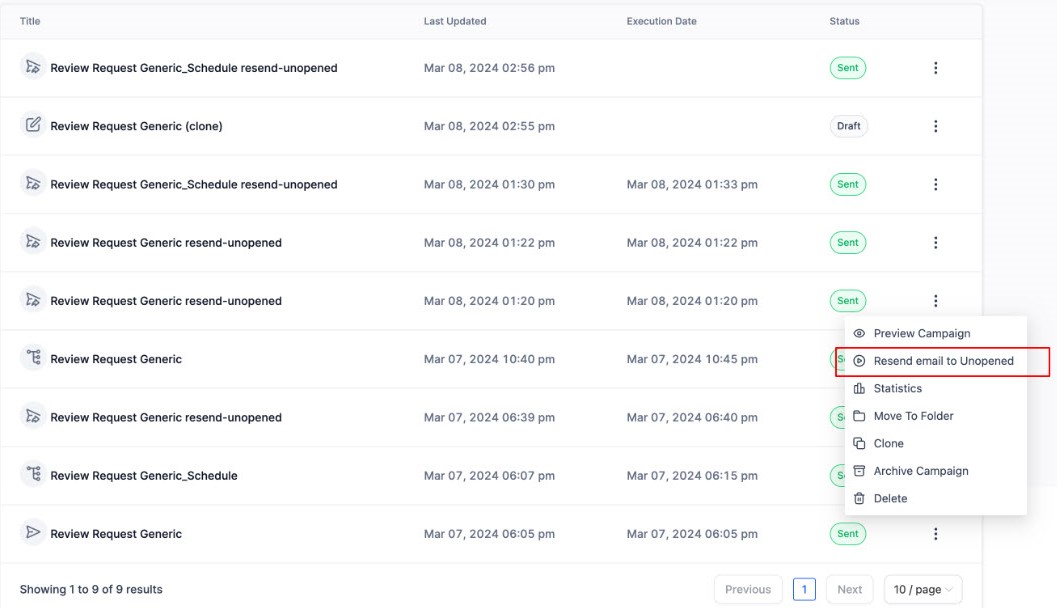
Choose "Resend email to Unopened":
Update the settings for the email with desired subject and schedule time:
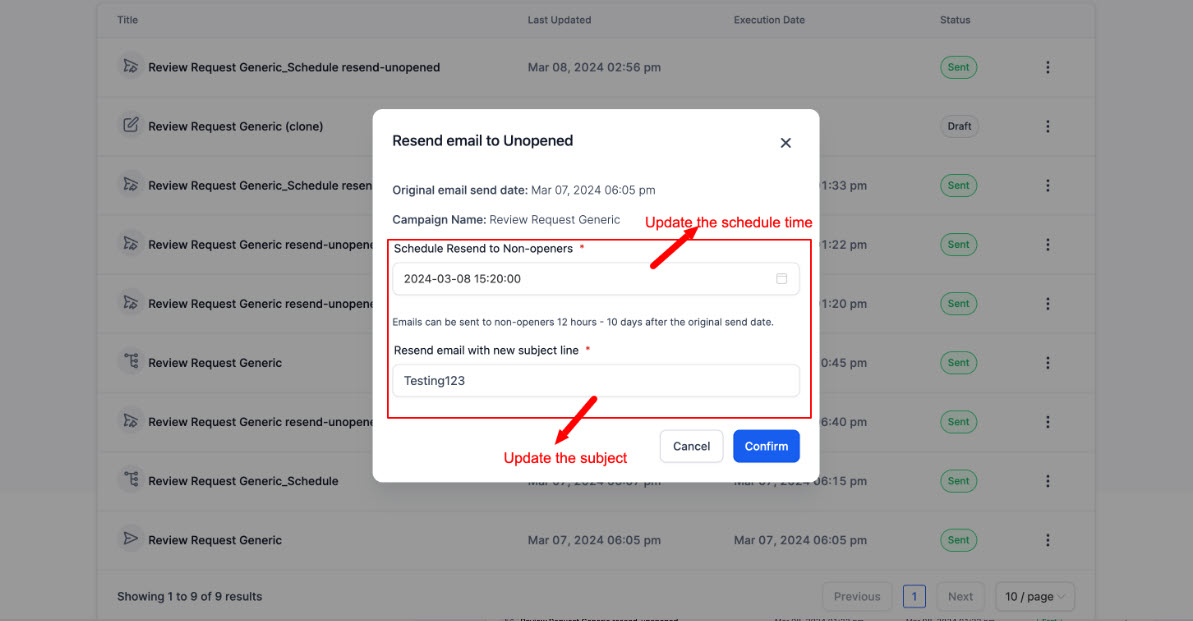
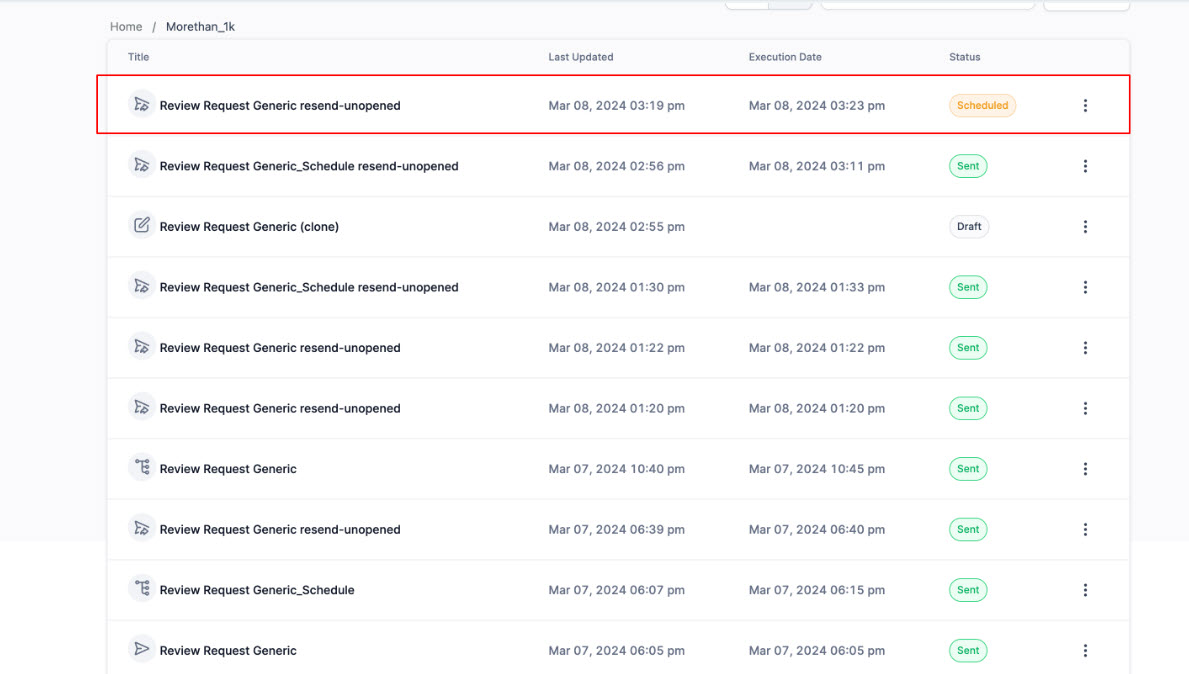
This will ensure the resend campaign gets rescheduled:
Notes:🔎
Resending is available within the default window of 12 hours to 10 days after sending the original email. This timing minimizes complaints and aligns with industry norms.
Resending isn't supported for Batch schedule and RSS campaigns.
For tips on maximizing engagement and reducing complaints, check our help document.
Coming Soon:🤩
Soon, you'll be able to set up resend options in advanced settings when sending or scheduling the original email. Look out for this feature on the send or schedule screen.
Soon you will have the analytics of original and sent email linked



ABOUT US
SYSTEM COMPARISONS
© Copyright 2024. Automate Digital Marketing